Set up a bundle builder page
Updated Nov 11, 20261 min read
On this page (5)
Each bundle builder gets its own Shopify page. Save your bundle first, then set up its page and add the builder block.
Set it up
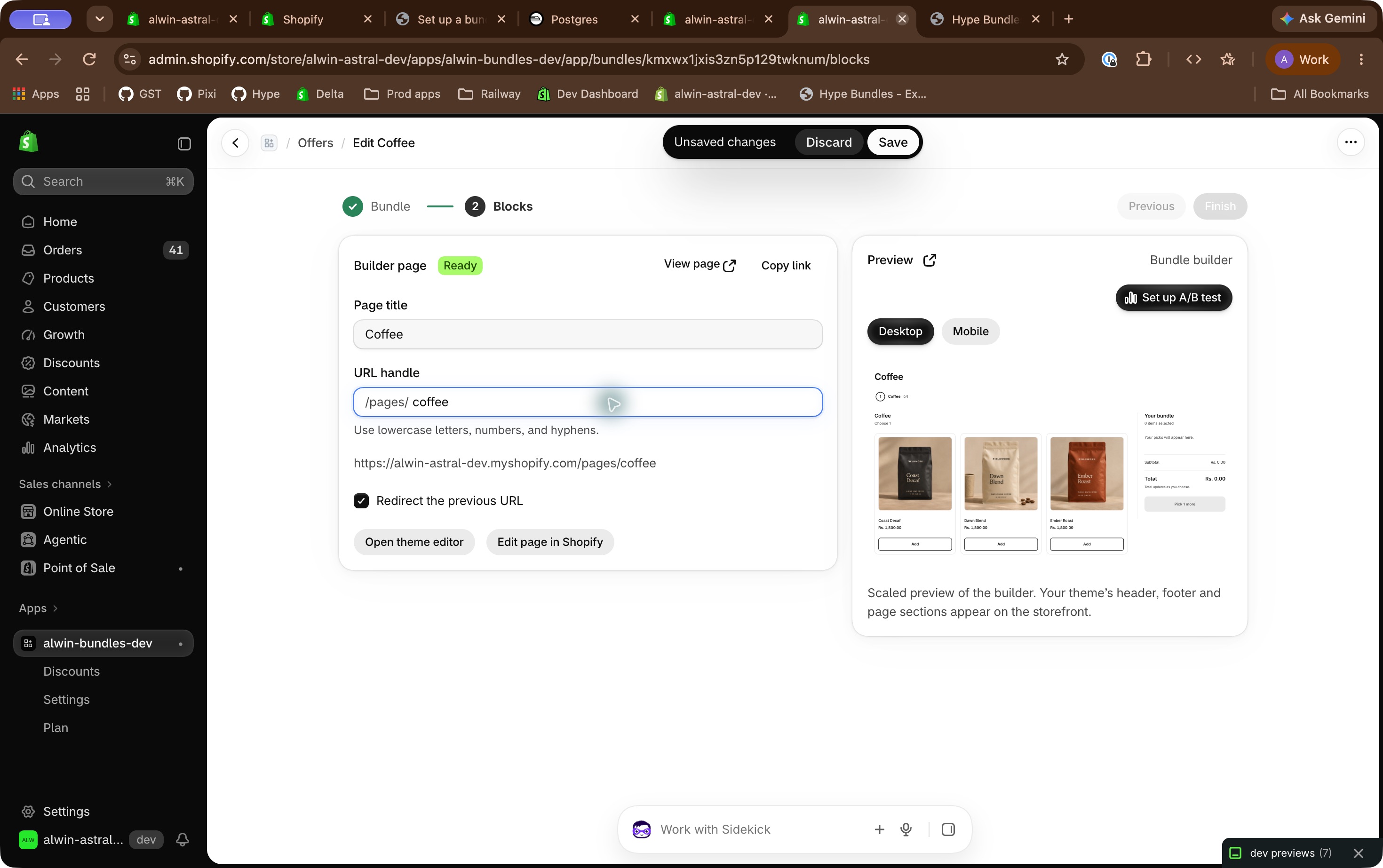
- Open the bundle's Blocks step and find Builder page.
- Click Allow page access if shown, and approve the permission in Shopify.
- Enter Page title and URL handle, then click Create page if the page doesn't exist yet.
- Click Enable Hype embed if shown, then Save in Shopify's theme editor.
- Return to Hype. Setup checks automatically when you return.
- Click Add builder block if shown to add Hype: Bundle builder in the theme editor.
- Click Save in Shopify, then return to Hype.
- Click View page when available to check the builder.
Change the page title or URL
Edit Page title or URL handle under Builder page, then click Save in the bar at the top. If a URL is taken, choose another handle; Hype shows the error beneath the field.
When changing the URL, leave Redirect the previous URL selected to keep existing links working.
Add the builder to your menu
- Click Copy link under Builder page.
- In Shopify, open Content > Menus > Main menu.
- Click Add menu item.
- Enter a Label, such as
Build your coffee box. - Paste the copied URL into Link.
- Select that URL from the dropdown.
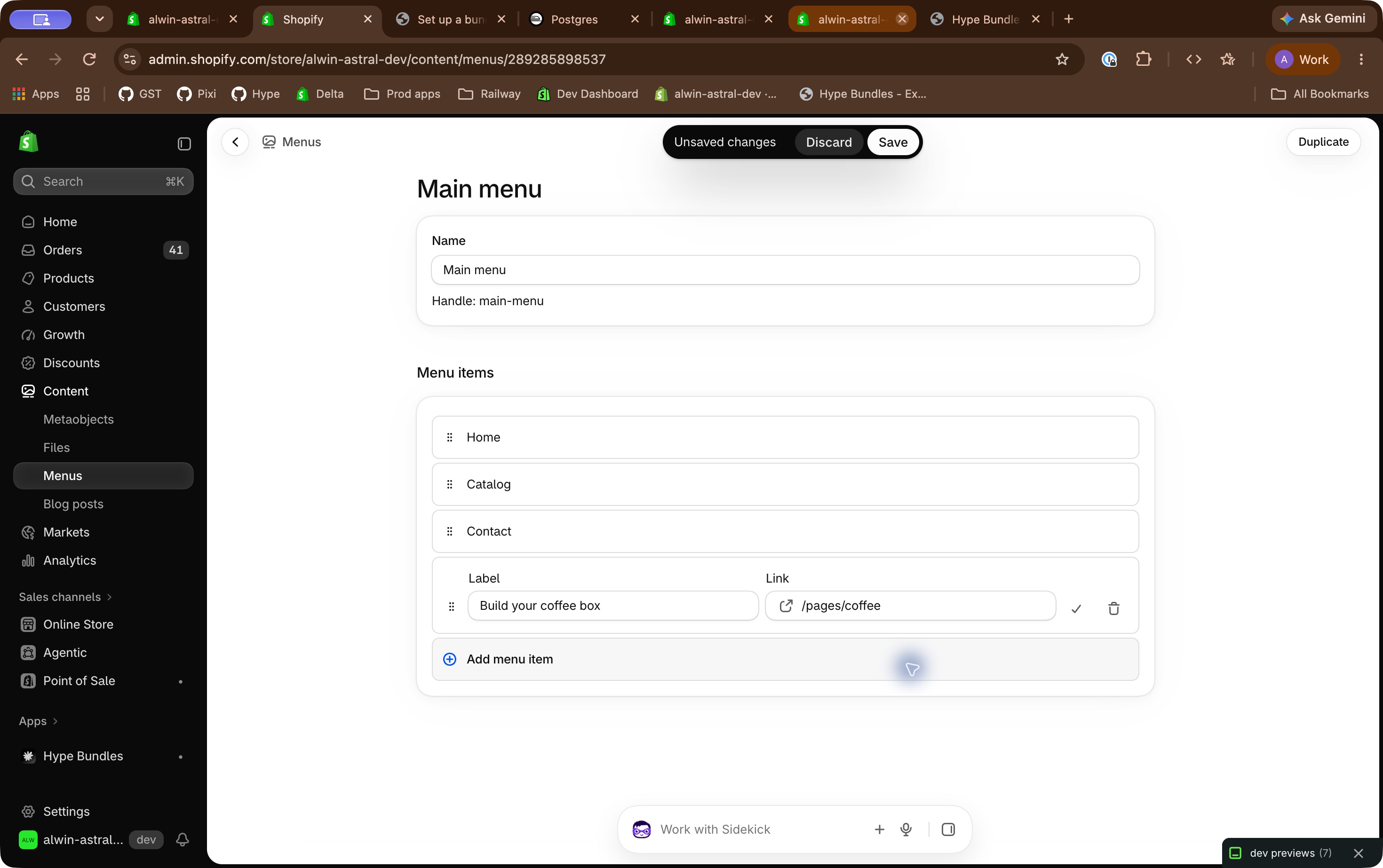
- Confirm the item with the checkmark or Add.
- Click Save, then test the menu link on your store.
See Shopify's Add, remove, or edit menu items.
Good to know
- Pages are published when created but aren't added to menus automatically.
- You can copy a draft bundle's link once its page exists. Shoppers need an Active bundle.
- If setup cannot be checked, click Retry.
Related
Was this article helpful?
Related articles
Where bundles appearFor product-page offers, Show on chooses the pages and Placement chooses the spot. Blocks need the app embed . A bundle builder uses its own page…Nov 10, 2026Customize the designThe Design section changes how an offer's block looks on your store, with no code. It's on the offer's first step, and the preview updates as you…Nov 9, 2026Style bundles with CSSUse CSS variables and named parts for changes beyond Customize the design . Add your CSS Open and save your offer. On Offer ( Bundle for bundles),…Nov 11, 2026Change the block's text and translationsChange shopper-facing labels and translate them for each language your store publishes in Text & translations , at the bottom of the Bundle step (…Nov 11, 2026
Still stuck?
Ask a follow-up and we'll see it came from “Set up a bundle builder page”.
Opens chat with your question and a link to this article.